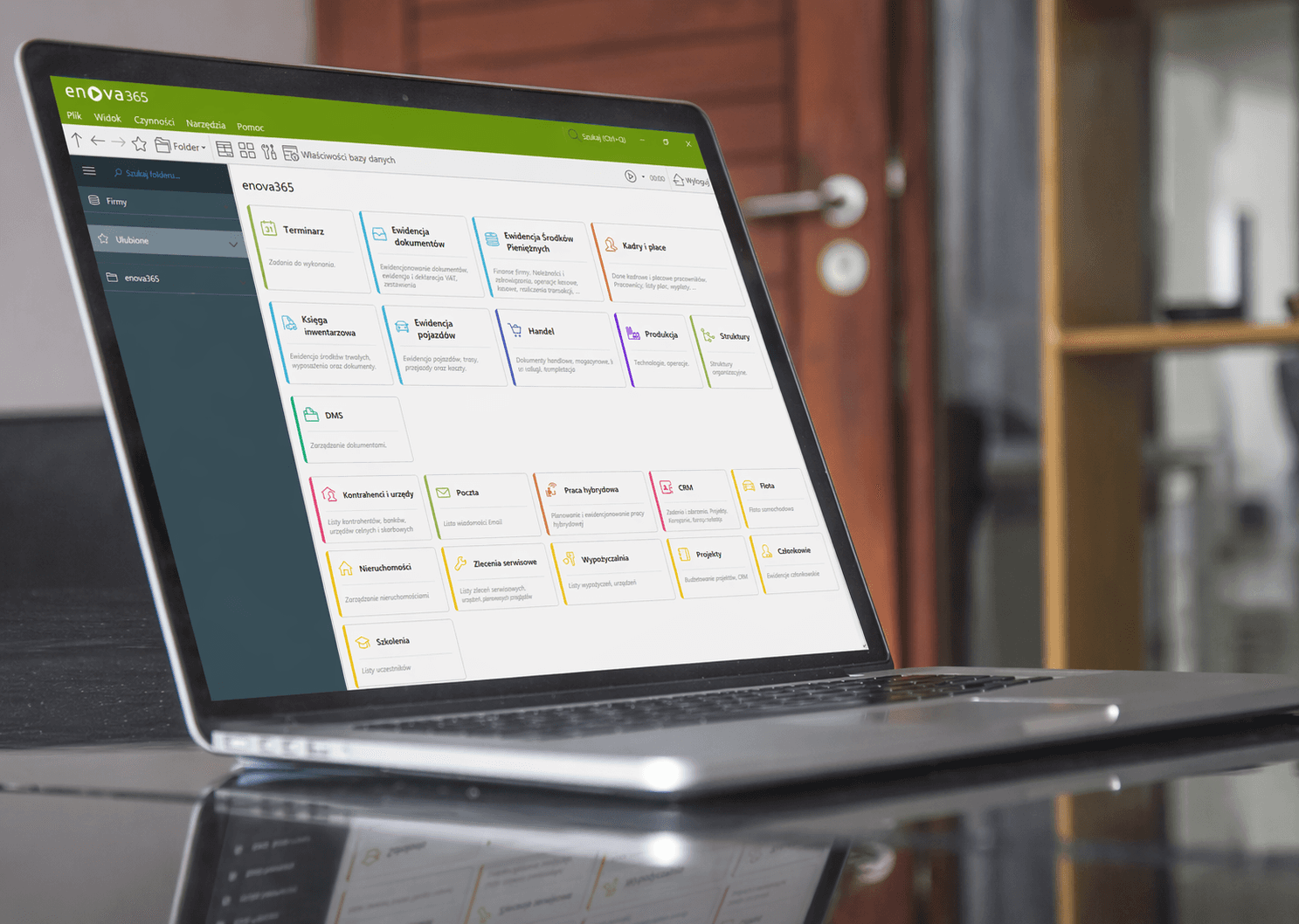

Enova365 is a system used by many of our clients and one that we regularly encounter during audits in newly taken-over environments - usually when the company transfers IT support to us. The pattern is usually similar: the company has had enova for years, the system works, but remote access is slow, nobody really knows where the backups are, and the update released by the vendor is postponed 'for later' because the last one ended with hours of frustration. Before a failure occurs, the infrastructure for enova is practically invisible - and then it becomes problem number one.
This text is a practical guide to what an environment for enova365 should look like and which decisions are most often made incorrectly. We write from the perspective of a company that maintains such environments for clients in an IT outsourcing model - and that itself, from the accounting and invoicing side, also works on enova.
Enova365 architecture - three layers and three interfaces
Enova365 is a system with a three-tier architecture: database, business logic, user interface. The vendor (Soneta) provides three interfaces to the same database: desktop (classic, Windows Forms, also described as Standard), browser-based (Multi, HTML5 via ASP.NET Core) and mobile (Android and iOS). All three work on the same installation and the same SQL database - they can be used in parallel without duplicating data.
This distinction is important because most infrastructure decisions do not concern 'enova' itself, but where we place each layer and how users reach them.
SQL Server Express or Standard for enova365 - limits and when you feel them
Enova365 in current versions supports Microsoft SQL Server 2016, 2017, 2019, 2022 and 2025, both Standard and Express editions. The choice between them is not a technical detail, because SQL Server Express - although free - has hard limits that can hit at the least expected moment as the company grows.
The Express limitations (in versions up to and including 2022) are as follows:
size of a single database: 10 GB (according to current Microsoft documentation, the limit in SQL Server 2025 Express was raised to 50 GB - a fresh change, but still a limitation)
buffer pool memory: 1410 MB - regardless of how much RAM the physical server has, SQL will not use more
CPU utilization: 1 socket or 4 cores, whichever comes first
no SQL Server Agent - i.e. no built-in scheduler for automatic backups, index maintenance or DBCC CHECKDB
no advanced HA features (AlwaysOn, mirroring), no Profiler, limited replication
For a company that is just starting with enova, with a few operators issuing invoices and accounting maintained on one entity - Express is often sufficient. The problem appears in a typical SMB scenario: the number of documents grows, a sales module with warehouse history is added, someone turns on DMS with attachments in the database, HR has full employment and payroll history. Within 2-3 years the database approaches the limit, and what worked smoothly yesterday starts to choke because SQL does not have enough memory for the cache.
The second, less frequently discussed Express problem: no SQL Server Agent means backups must be organized externally. In theory, this can be done with a PowerShell script in Windows Task Scheduler or a third-party tool. In practice - very often there is nothing at all, because nobody took care of it during the implementation.
From experience: if the company plans to use enova seriously and for several years, it is more sensible to deploy SQL Server Standard right away (either owned or in the Runtime license that Soneta provides for enova). The license cost is spread over years, and later there is no need to perform a migration 'under pressure' when the database stops opening.
Why enova365 desktop version does not work efficiently over VPN
The pattern we often encounter looks like this: on each operator's computer, enova365 in the desktop version is installed, and the SQL Server itself runs on a server in the server room. In the office, over the local network - it works well. Problems start when employees want to connect from home or from another branch, through VPN.
Communication between the desktop client and SQL Server takes place over the TDS (Tabular Data Stream) protocol, which is not designed for WAN links. It is a so-called 'chatty protocol' - opening a window with a list of documents can generate dozens of round-trips to the server. On a local link (RTT below 1 ms) this is not noticeable. With VPN latency of 30-40 ms, each list open becomes several seconds of waiting instead of a fraction of a second. Saving a document, rebuilding a view, print preview - the same. Over longer distances and poor links, work becomes painful.
On top of that comes VPN encryption (adds overhead), connection drops that can leave hanging transactions, and bandwidth - because some views and reports download megabytes of data. It is possible to work like this, but it is not a production-grade solution for the whole company.
The conclusion is simple: the desktop client and SQL Server should see each other over the LAN, with latency measured in fractions of milliseconds. If the user is physically far away, we do not bring SQL closer to the user - we bring the user closer to SQL.
Terminal server (RDS) for enova365 - recommended remote access architecture
The solution documented by Soneta itself and which works well for most installations with distributed users looks like this: in the same network where SQL Server runs, we deploy a terminal server (Remote Desktop Services on Windows Server). We install enova365 desktop version on it. Users connect to the terminal server via RDP (Remote Desktop) - from the office, from home, from a branch.
Advantages of such architecture:
First, SQL traffic remains in the LAN. The user sends only screen image and keyboard input through RDP - this is low traffic that flows smoothly even at 30-50 ms latency and bandwidth in the range of a few Mb/s. The application talks to the database over the internal gigabit network, so the perceived performance is the same as if the employee were sitting in the office.
Second, an enova update means an update in one place. There is no need to go around dozens of computers and upgrade the client version - we update once, on the server, and the whole company is already working on the new build.
Third, access control becomes much simpler. Permissions in enova are managed through roles in enova itself, but who can log in to the terminal server at all is controlled at the Active Directory level. When an employee leaves, we disable the AD account and the matter is closed - there is no need to worry that a client with saved connection parameters was left installed somewhere.
Fourth, from the perspective of security, RDP through RD Gateway with TLS and MFA (or RDP tunneled through VPN into a dedicated management network) is easier to secure than broadly opening the SQL port in the firewall.
This model - SQL server plus application server plus RDS - is explicitly documented by Soneta as one of the recommended hosting architectures for enova.
Enova365 Multi or desktop version - which one to choose
The Multi version (web-based, HTML5) is an alternative or complement to the scheme above. It runs on an IIS server or in ASP.NET Core mode, and users connect to it with a browser - Chrome or Edge. The vendor states that functionally Multi provides almost the same as the desktop version, and that is true in current versions of enova.
Where Multi works very well: document approvals by managers, employee dashboards, CRM, travel expense settlements, field sales work, report viewing, mobile work. Everywhere where the session is short and does not require intensive keyboard work on dense forms.
Where the classic version often wins in practice: accounting postings, fast issuance of document series, mass editing of item cards, advanced configuration. This is not due to functional gaps in Multi, but to user habits and the fact that the classic Windows Forms interface gives very fast keyboard-shortcut navigation, which accountants perform reflexively after years of work. Here we have to be honest - this is primarily a matter of subjective preference. Some accountants, after moving to Multi, do not want to go back, while others categorically do not intend to change their habits.
A good decision is not choosing either-or. Both interfaces can be launched at the same time, on the same database, and every user can be given the tool in which they work most effectively. Accounting stays on Standard on RDS, the manager logs in through Multi from home, the salesperson uses the mobile app in the car.
Server split for enova365 - SQL, application and terminals separately
If we decide on a terminal server, there is a temptation to do everything on one machine: SQL, application, RDS, domain, sometimes also file server and backup. For a microbusiness with a few users, it works. For SMB with dozens of operators, accounting and warehouse - it usually ends badly.
The model we recommend for installations with more than a dozen users is three separate roles (in practice most often three virtual machines on one or two hosts, but functionally separated):
SQL Server. Dedicated only to the database. It has its own RAM pool and its own disks (best SSD in RAID1 or RAID10, with separate volumes for data files, transaction logs and backups). We plan operating system and SQL updates independently from the rest. Here it also makes sense to enable Standard Edition if the company needs it - we pay for cores on one machine, not on the whole stack.
Application server (enova365 Server). Business logic and - if Multi is used - the browser interface server. Soneta's requirements explicitly recommend that the business logic server and the user interface server be on separate machines. In current enova365 versions based on .NET 8, Windows Server 2016 or newer, 16 GB RAM and 4 cores are required as a starting value.
Terminal server (RDS). A completely different load profile - a lot of memory per session, GPU for comfortable work, printer support, device redirection. The performance of this machine scales with the number of concurrent users. For larger teams, it is worth splitting RDS into a farm with two or three hosts and a session broker.
Why does responsibility segregation pay off even in a small company? Several concrete reasons. Updating SQL Server or restarting it after a security update does not require kicking users out of terminals - the sessions stay, only enova temporarily stops working. Restarting RDS after an update does not affect business logic, and for a moment, when users are logged out, the rest of the system still works anyway (for example banking or e-commerce integrations). SQL Server backup does not compete for disks with user profiles on RDS. If memory becomes the bottleneck, it is immediately clear which layer is responsible - and that layer can be scaled separately, without having to enlarge the whole monolith.
From a maintenance perspective, this is simply cheaper in the long run, because each failure stays within its own role and does not drag the others down with it. We apply the same logic when designing the server infrastructure for most clients, regardless of whether the primary workload is enova, a file server or an industry-specific application.
Backup of the enova365 database - policy, retention and restore tests
Audits at new clients very often show one of the following scenarios:
The backup exists, but it is stored on the same disk as the database.
The backup exists, but nobody has checked for a year whether it can be restored.
On SQL Express, a 'backup' is set up in Task Scheduler, which fails every other week because the service account has changed.
Backups exist, but they are kept for only 7 days and when the problem emerges after a month (someone deleted documents in December and it was noticed in January), there is nothing to go back to.
The Enova backup is performed from the application, but the
.bakfile remains local and never reaches an external location.
A sensible modern backup policy for an enova installation looks roughly like this: full backup every night, differential copies every few hours, transaction log backups for a database in FULL recovery mode (if point-in-time recovery matters to us). Backup files go to a separate volume, and from there - to an external location (NAS in another location, cloud, offsite backup). We adjust the retention period to regulations and real needs - for accounting, a shorter retention simply will not hold up. Periodically, once a month or quarter, we perform a test restore to a second database and verify that the system starts up. DBCC CHECKDB should be run on a regular schedule so we do not wake up with a corrupted database that cannot be restored because the backups already contain corruption from a week ago.
This kind of discipline is hard to maintain without someone for whom it is part of their responsibilities - hence backup is so often the first thing we fix when taking over IT support for a new company.
Enova365 updates and database conversion - how to do it safely
Enova365 is updated regularly - new versions are released every few weeks, and additionally Soneta releases 'regulatory' versions that must be deployed within a specified deadline (KSeF, tax changes, ZUS, PIT). Each major update requires a database conversion - i.e. migration of the schema to the new version. Software updates and patch management for enova therefore have a different character than for typical office applications - they cannot be fully automated hands-off.
Conversion is an operation that, for a large database, can take from several minutes to several hours, during which work on the system is not possible. The vendor explicitly informs about this in release messages such as 'this version requires database conversion'.
The update process should roughly look like this:
- 1
Informacja do użytkowników, okno serwisowe poza godzinami pracy.
- 2
Pełny backup bazy produkcyjnej przed rozpoczęciem pracy.
- 3
Instalacja nowej wersji enovy na serwerze aplikacji oraz na serwerze terminali (jeżeli mamy oba).
- 4
Logowanie do bazy - system wymusza konwersję, potwierdzamy i czekamy.
- 5
Aktualizacja dodatków i modyfikacji partnerskich do wersji zgodnej.
- 6
Test - wydruki, kluczowe operacje, integracje (KSeF, bankowość, e-commerce).
- 7
Zwolnienie środowiska do użytkowników.
What regularly disrupts this process: partner add-ons that do not yet have a version compatible with the new enova; modifications made for an older version that need to be updated; no backup 'just before' the conversion and no rollback path. For major updates it is worth doing a trial conversion on a copy of the database to measure the time and catch problems before the production window.
In companies where we provide IT support, enova updates and their conversions are simply part of the schedule - the accountant does not have to monitor them herself, and we plan the service window in advance so it falls outside the deadline for sending declarations.
How to recognize well-maintained enova365 infrastructure
From the perspective of a company's management using enova, everything we wrote above is technical detail that they should not have to deal with. The company bought enova to run accounting, sales and warehouse, not to have another IT project to supervise.
A well-maintained infrastructure for enova looks like this: someone monitors SQL and application server performance before users notice a problem. Enova, Windows and SQL Server updates have one coherent schedule and someone is accountable for them happening. Backups are made, verified, and there is a restore procedure that someone has actually tested. In an incident, there is someone to call and that person has access to the environment and understands how it works. Capacity planning - disks, RAM, SQL licenses - happens before something runs out, not after the fact.
This kind of work can be done in-house, by the company's own IT department, and in large organizations that is how it happens. In small and medium-sized companies there usually is no person who could carry all of this on top of their other responsibilities - and then it makes sense to outsource it, in an IT outsourcing model. IT support for enova is not anything exotic - it is exactly the same set of tasks (servers, updates, backups, monitoring) performed for any serious business system, just with additional knowledge of Soneta's product specifics.
FAQ - Most common questions about enova365 infrastructure
What our IT support looks like for companies using enova365
At Helpwise IT, we provide IT support for companies that use enova365 as their ERP system. In practice, this means that we take responsibility for the environment - servers, SQL, RDS, backups, updates, incident response - so that from the client's perspective only one thing is visible: the system works and when a new KSeF version comes out, nobody has to call in panic about the deadline.
Maintaining enova is not an 'extra-charge add-on' for us. Implementations, updates, disk replacement, migration to a new server, or preparing the environment for the next branch are included in the fixed IT support fee. We call this 'batteries included' - and we treat it as a model that is fair to the customer: one contract, predictable budget, and we do not earn money from things breaking.
If you recognize any of the scenarios described above - distributed work over VPN on top of SQL, a database approaching 10 GB on Express, a backup that nobody has tested for a long time, an update delayed because 'the last one went badly' - this is exactly the moment to sit down and review the environment with someone from outside. Regardless of whether it ends with full IT takeover or only one-time IT support in organizing the infrastructure - usually it is easier to talk afterwards when the environment is predictable.